Primary links

Analyzing jHiccup Data to Measure Variations in Java Responsiveness

Understanding jHiccup Data

Video runtime 12:37

jHiccup records hiccup durations observed by the application it wraps. It produces two log files that are updated at each recording interval (which defaults to 5 seconds). The two log files are:

  • hiccup.<identifier>.log  A single line entry is appended to the log file at every recording interval. Each entry line lists the hiccup duration of certain percentiles (50%, 90%, Max) of samples collected in the past recording interval, as well as aggregate percentiles (50%, 90%, 99%, 99.9%, 99.99%, Max) for samples accumulated since the beginning of the jHiccup run.
  • hiccup.<identifier>.hgrm  This file is updated in it's entirety with each recording interval. It contains detailed histogram data showing the distribution of hiccup duration by percentile for the entire jHiccup run.

While you can read the jHiccup log files as plain text, the output can be interpreted in Hiccup Chart form by using the included jHiccupPlotter Excel workbook. jHiccupPlotter.xls is programmed to automatically import log data and chart it. For information on viewing and graphing jHiccup data, please read Viewing the jHiccup data.


jHiccupPlotter produces a chart tab with two chart section, arranged vertically one above the other:

Hiccup by Time Interval: Plots the maximum hiccup duration observed in each time interval, as well as multiple horizontal level lines representing the overall 99%'ile, 99.9%'ile, 99.99%'ile, and Max hiccup durations observed during the entire run.

Hiccup by Percentile Distribution: Plots the observed hiccup durations at varying percentiles.

Sample Hiccup Interval.gif

Understanding jHiccup Charts and Data

The data collected by jHiccup represents actual stall times observed on the runtime platform (at the JVM level and below) while the application being monitored is actually running on it. While jHiccup does not measure application response times, application response time will inevitably include any stall times observed at the runtime platform level. jHiccup's Hiccup Charts, at any time point and at any percentile, represent the absolute "best case" scenario data for application response times - the time in which an empty amount of work could be done.

jHiccup data and Hiccup Charts can quickly identify whether application responsiveness issues are dominated by application code or by the underlying runtime platform's behavior:

  • If application response time behavior is similar to that observed by jHiccup, observed as a correlation of dominant stall events in time and of response time %'ile distribution and magnitude, the runtime platform's behavior and occasional stalls are likely the dominant factor in application responsiveness. Improvement in runtime stall behavior through tuning or eliminating runtime stall causes will most likely improve the application response time characteristics.
  • If application response time behavior does not correlate with jHiccup data and Hiccup Charts, the application code and/or external resources are most likely the dominant factor, and runtime tuning and improvements in the area of stalls and responsiveness are unlikely to result in improved application response behavior.

In explaining the meaning and use of Hiccup Charts, it is useful to walk through some simple examples which can be used to demonstrate common causes of observed hiccups and their typical levels:

We start with an Idle application. Such an application would be expected present an ideal, near-zero hiccup levels at the runtime platform level, as the runtime platform is virtually unused. We use Hiccup Charts to study and compare the behavior of such an idle application when running on a few different system configurations:

  • A dedicated, completely idle system.
  • A "quiet" shared system, showing 99%+ idle time for the duration of the run.
  • A "somewhat busy" shared system, showing idle time varying between 70% and 95% for the duration of the run.

The jHiccup data for all three runs can be seen in the charts below:

Dedicated SystemIdlel App Hiccupidle app on busy system

In these charts, we see that the runtime platform's observed hiccups on the dedicated system are all in the sub-millisecond level, with the vast majority (99.99%+) ranging between 50 and 100 microseconds, and occasional spikes to higher observed levels (reaching 350 to 400 microseconds) observed over time. The quiet system shows normally quiet behavior, but observes a handful of multi-millisecond hiccups (up to ~22 msec) over a 20 minute run. The busy system, even though still "mostly idle" throughout the run, exhibits numerous observed stalls ranging to ~50 msec in magnitude, and it's 99.9%'ile platform hiccup observation shows that as many as 1 in 1,000 random samples will likely encounter multi-millisecond delays.

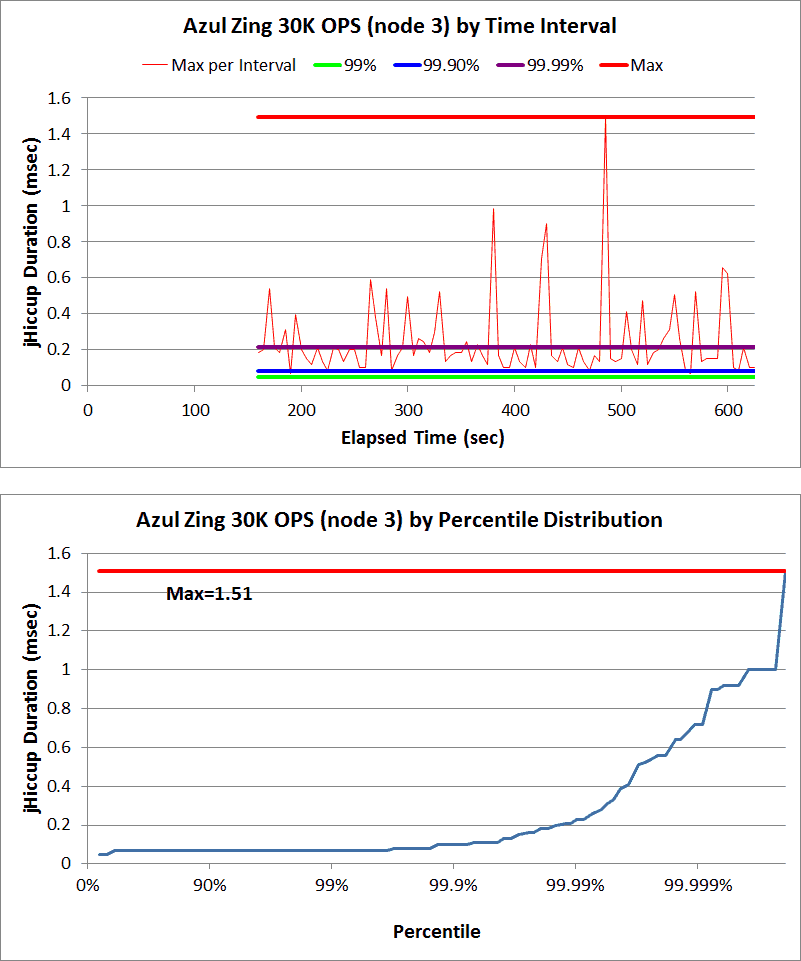
The idle application hiccup charts serve as a good reminder that operating system and shared workload issues can often cause observed responsiveness delays for what would be otherwise-zero-response-time computation. Scheduler and scheduling induced jitter can often reach tens of milliseconds even on systems that are lightly or moderately loaded. This series of Idle application charts provides a good demonstration of how Hiccup Charts can be used to compare the behavior or the same application, under the same load, in different runtime stack environments.

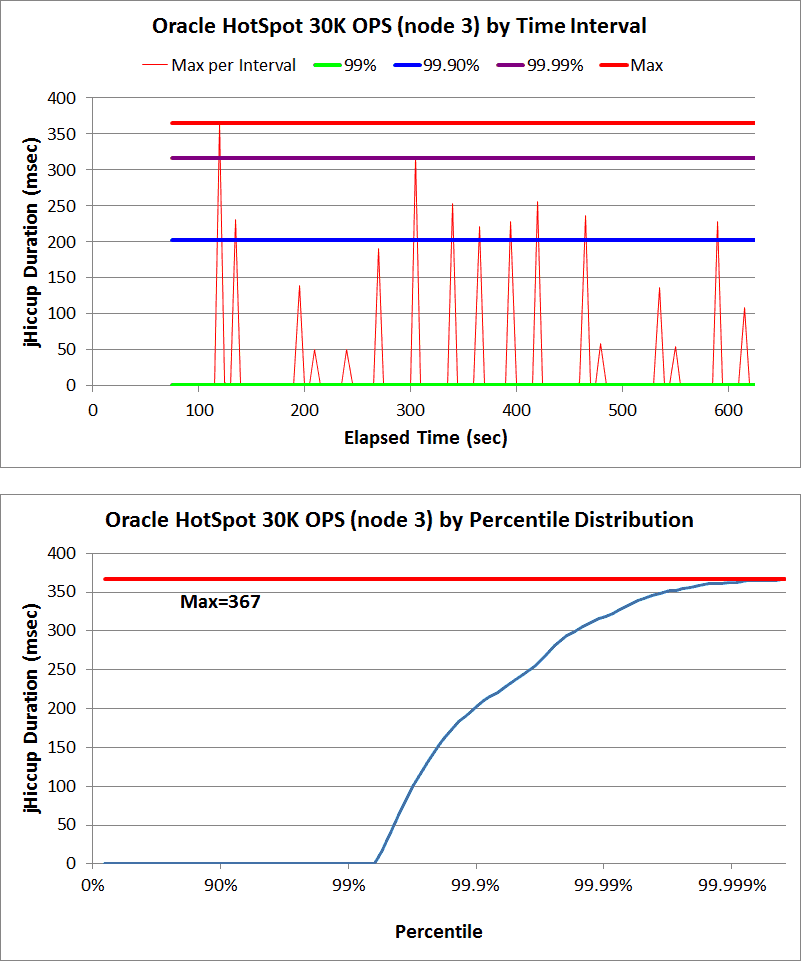
Next, we move on to an application with an actual runtime load, and observe its behavior on a dedicated system, running a regular JVM. We use a Telco billing application workload that deals with a relatively stable rate of sessions per second, with each session state typically tracked for tens of seconds until it terminates. This Telco application, when run on a regular JVM on a dedicated system, exhibits observed hiccups in two clear bands of magnitude: it sees frequent (and apparently periodic, based on the time-interval section) stalls with a magnitude of ~300-400 msec. It also observed a single, higher magnitude stall (of about 1.6 seconds) once during this ~30 minute run. While jHiccup does not in itself attempt to identify the causes of these stalls, they strongly correlate in time with Garbage Collection events logged during the run. The smaller and more frequent events are related to young generation GC pauses, while the larger event correlates to an old generation, stop-the-world Full GC event in the logs.

Telco App

jHiccup does not report on the Telco App's actual response times. However, it is clear (for example) that 99% of those responses must have taken at least 350-400msec, as the application platform as a whole was stalled for periods of that length at those percentile. The Hiccup Charts clearly show the 99%, 99.9%, 99.99%, and Max time stalls.

The Telco App Hiccup Chart provides a good demonstration of how Hiccup Charts can be used to easily identify the impacts of large platform stalls, such as those caused by garbage collection events, on application response time characteristics.

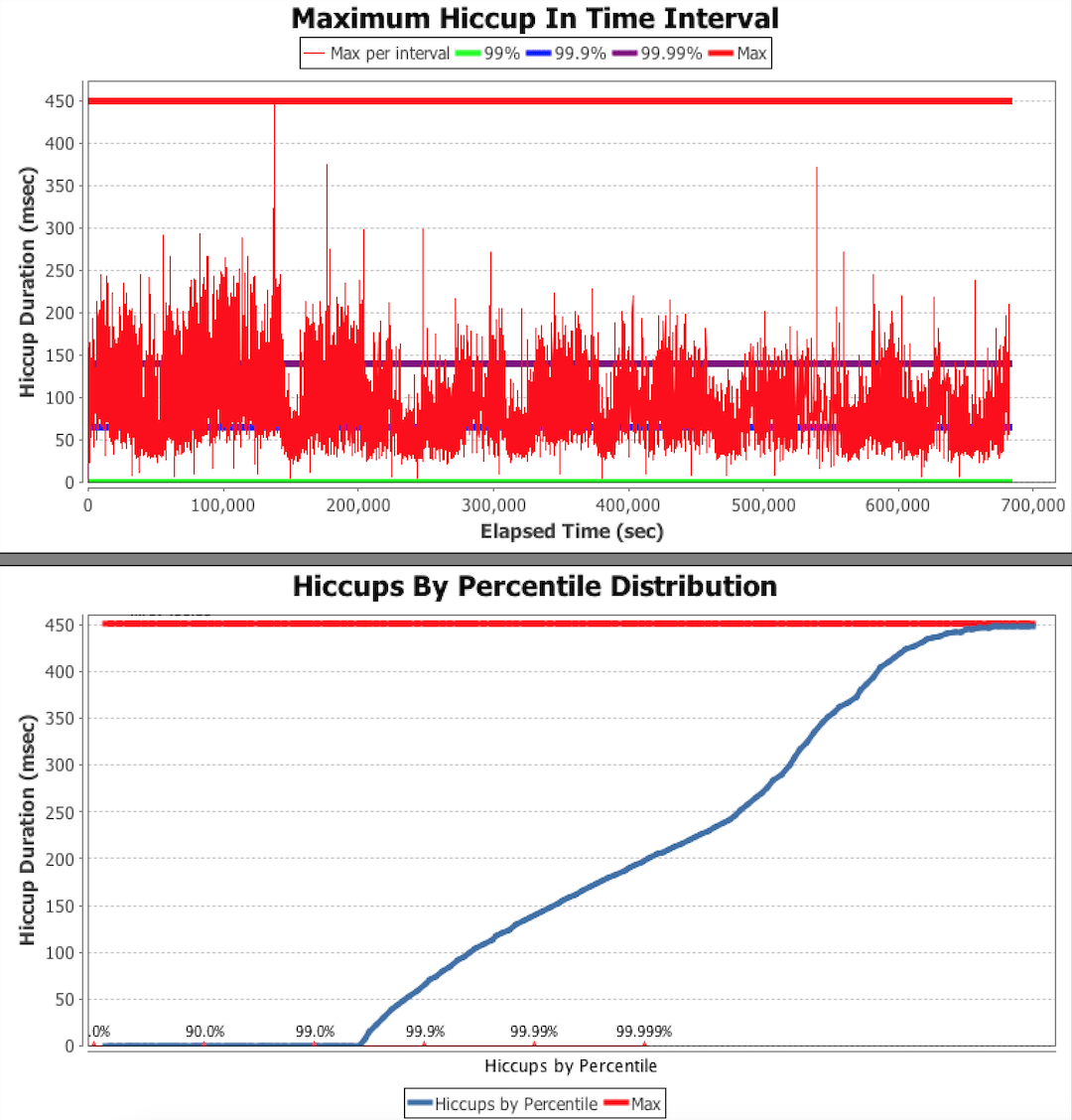
Next, we observe a Hiccup Chart of a Java Caching engine carrying a 1GB in-memory cache, and undergoing a fairly stable load that "churns" through the cache with a combination of cache-missing and cache-hitting loads and stores. The chart shows very frequent platform stalls in the ~200-300msec level (virtually all intervals recorded a max time that is at least that high), combined with occasional (and periodic) multi-second stalls. As with the Telco App, these two clear grouping of stall magnitudes correlate closely with Garbage Collection pauses events seen in the GC logs of the running application - with the smaller (200-300msec) stalls associated with young generation collection pauses, and the larger (multi-second) stalls associated with old generation collection pauses.

1GB Cache under load3GB Cache Hiccup Interval


General observations across various application types lead us to the following cause groupings:

  • Stalls at handful-of-msec level, and all the way up to the mid-tens of milliseconds can be caused by scheduling issues and momentary load sharing pressure (as demonstrated by the Idle App Hiccup Charts). Such stalls tend to be spread over time but rarely show a clean period nature.
  • Stalls in the 100s of msec, especially when they appear in clearly periodic patterns over time, are typically associated with "minor" or young-generation GC pause events.
  • Stalls in the multi-second range are typically associated with old-generation GC or Full GC pause events. While often separated by multiple minutes, they can be expected to periodically appear over long runs.


jHiccup Feedback

To provide feedback on jHiccup, please email us at the address below:

tools@azulsystems.com

jHiccup Tool Forum and Email listserv